

Authorization header. Keys are environment-scoped. A key created in sandbox will not work against the live API, and vice versa.
The API Keys tab in the Developer Portal is where you create, inspect, and manage every key for your organization.
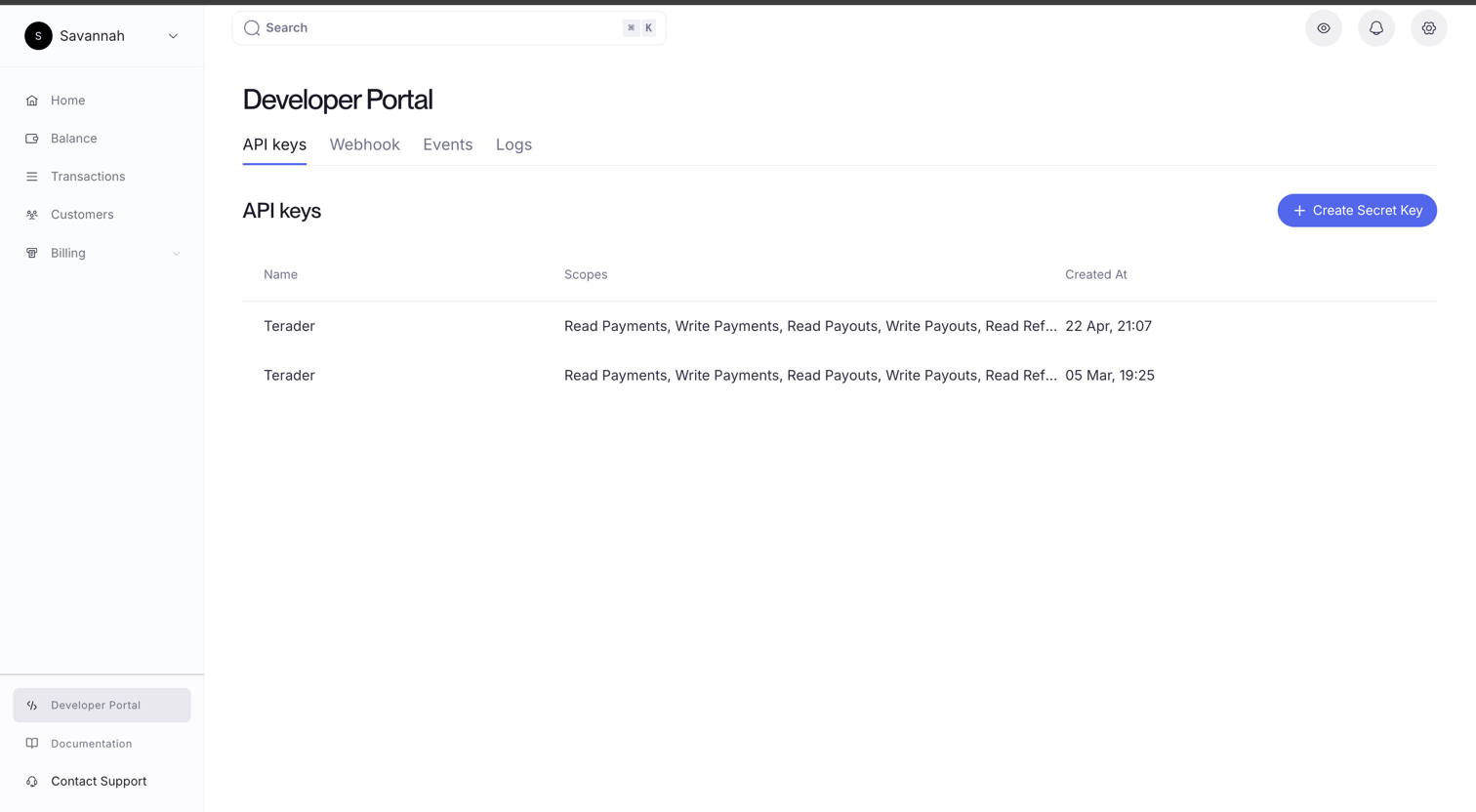
Creating a Key
Click + Create Secret Key to open the key creation flow.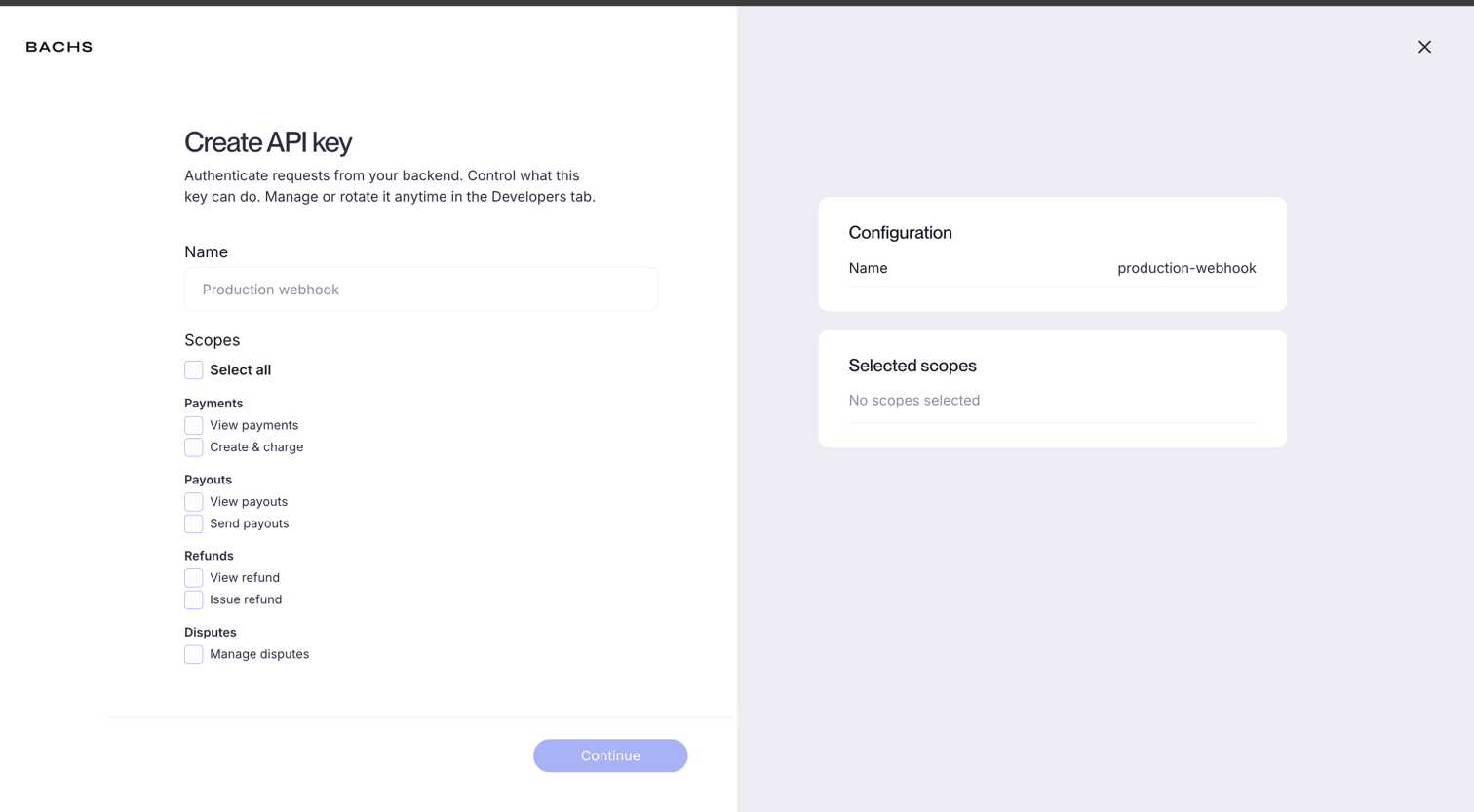
production-backend or data-export-worker. The name is for your reference only.
Scopes: The permissions this key carries. You can select all scopes for a fully privileged key, or restrict it to exactly what the key needs.
Scopes
Scopes limit what a key can do. A key without the required scope returns a403 Forbidden response for that operation, regardless of other permissions.
Leaving Select all checked creates an unrestricted key that can perform any operation your organization has access to.
Scope down keys wherever possible. A key used by a webhook handler that only needs to read payments should not also have permission to send payouts.
Key Detail
Click any key in the list to open its detail panel.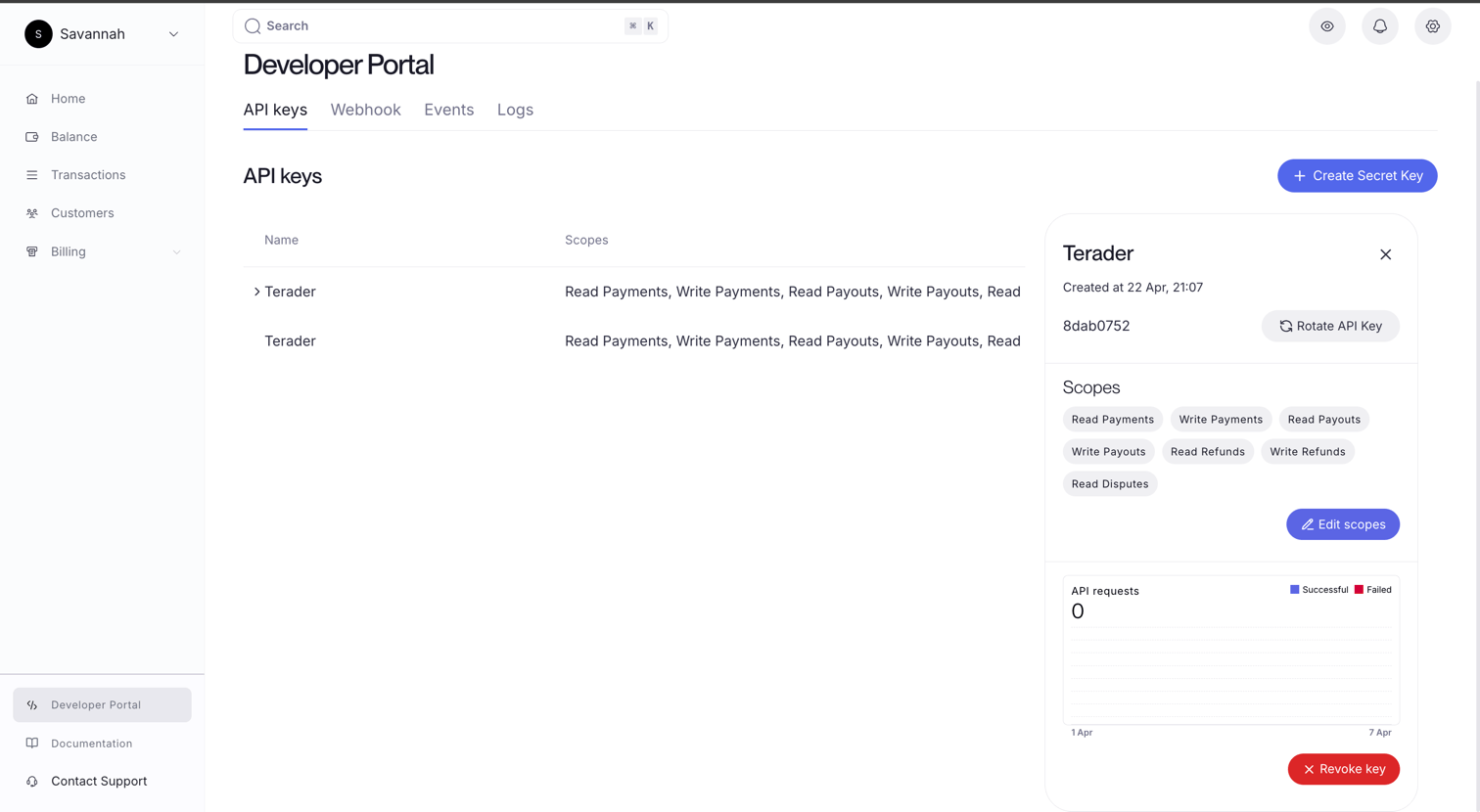
- Name and creation date: When the key was created.
- Key prefix: A short identifier (e.g.
8dab0752) that lets you match a key to a log entry without exposing the full secret. - Scopes: All permissions currently assigned to this key, shown as tags.
- API requests: A chart of successful and failed requests from this key over the past week.
Editing Scopes
Click Edit scopes to change the permissions assigned to an existing key. The key itself is not regenerated, only the allowed operations change. Changes take effect immediately.Rotating a Key
Click Rotate API Key to invalidate the current secret and generate a new one. The new plain key is shown once. The key’s ID, name, and scopes are preserved. Rotate a key whenever you suspect it has been leaked, when offboarding a service, or as part of a regular key hygiene policy.Revoking a Key
Click Revoke key to permanently delete the key. This cannot be undone. All requests authenticated with this key will immediately return401 Unauthorized.
Only revoke a key you are certain is no longer in use. If you are unsure, rotate instead. That gives you time to update your deployment before the old credential stops working.
Using a Key
Pass your key as a Bearer token in theAuthorization header:
Rate Limits
Key creation is rate-limited to one new key per minute per user. This is a safeguard, not a quota. If you need to create multiple keys in quick succession during setup, space the requests out by at least 60 seconds.Logs
Trace requests back to the key that made them.
Sandbox Environment
Sandbox keys are separate from live. Generate them from within your sandbox account.