

Live demo: snapkit.bachs.io. No account needed; pay with the test card shown on the checkout.
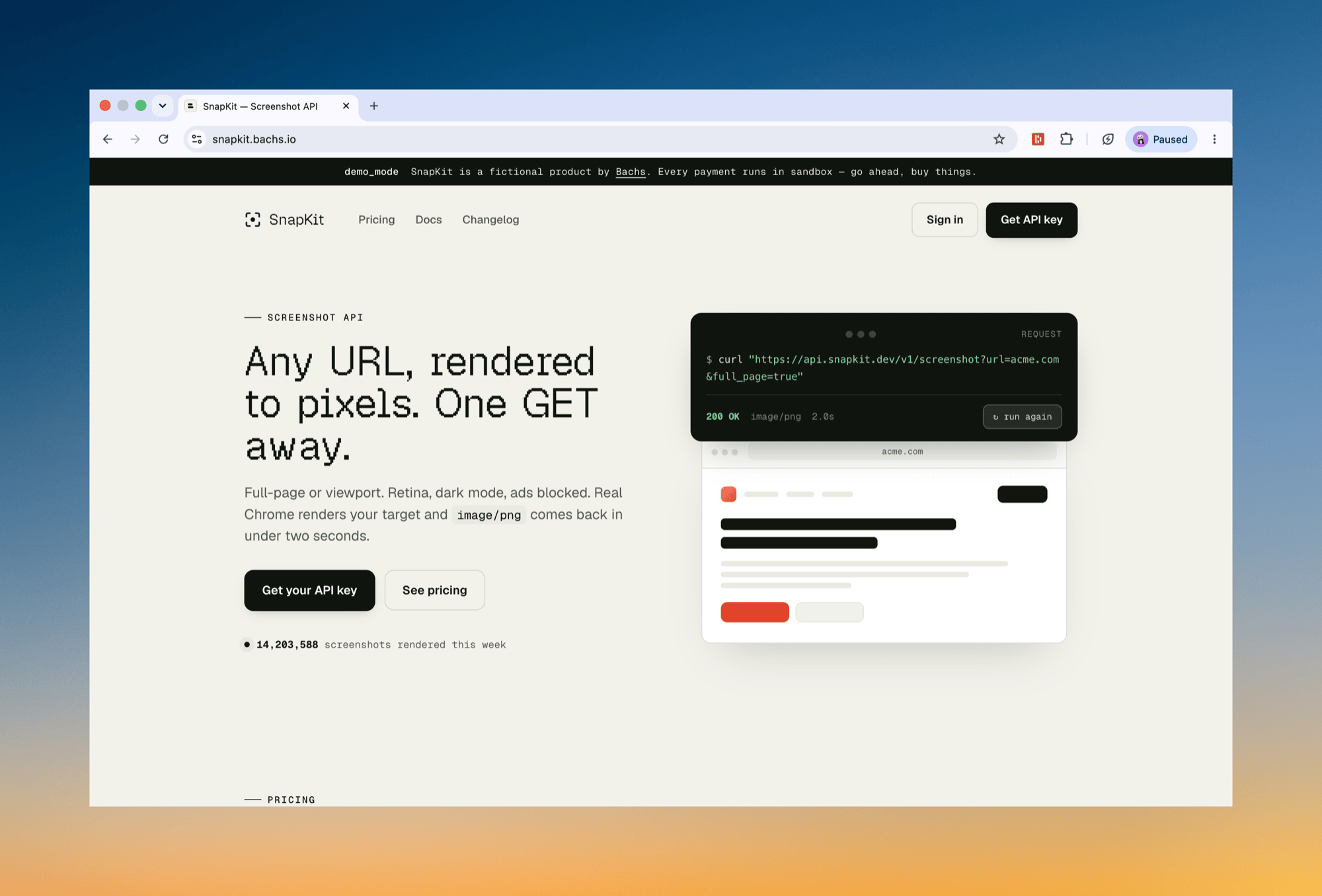
What you can test
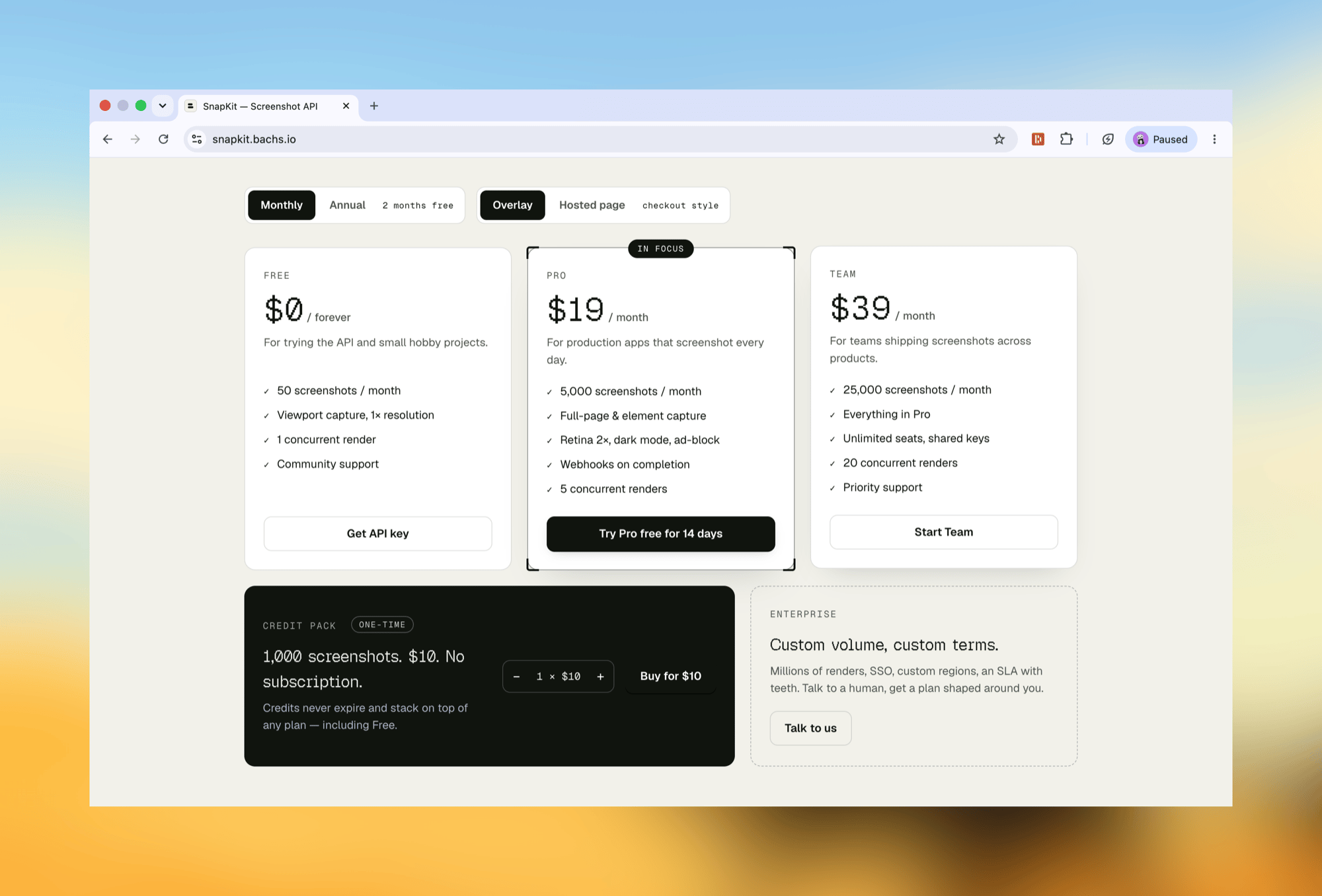
Each pricing button demonstrates a different billing model, and each maps to a guide you can build from.
Two switches change how the buttons behave:
- Monthly / Annual swaps which Pro product the button sells, since a billing interval is fixed per product.
- Overlay / Hosted page opens the same checkout session in the on-page overlay or as a full-page redirect, so you can compare both integrations on identical sessions.
How a purchase flows
1
Check out as yourself, or as a guest
Your first buy click asks for an email and optional name. Use your real inbox and the checkout greets you, the customer record is yours, and receipts land in your mail. Continue as guest and everything runs under a shared demo customer instead.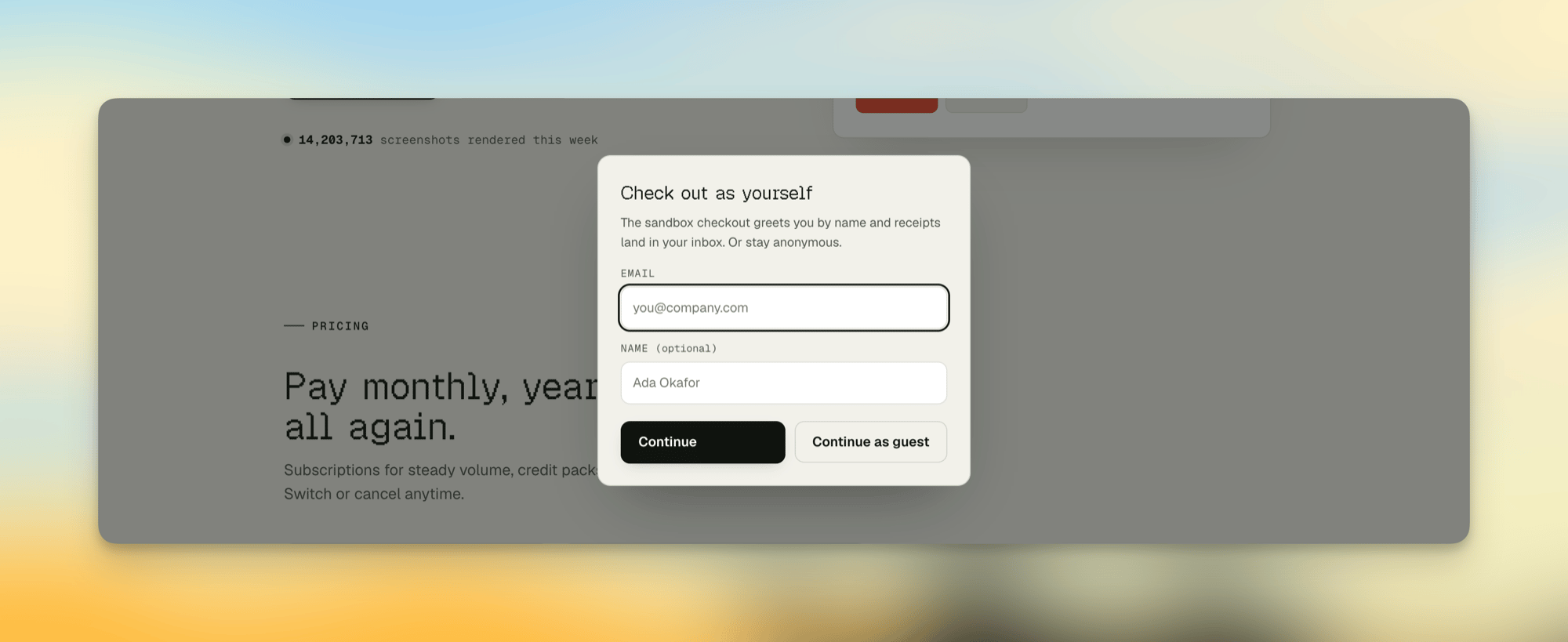
2
Pay with a test card
The sandbox checkout shows a test-card panel with success and failure cards, so you can simulate any outcome. Use the toggle to open it in the overlay or as the hosted page, whichever you want to feel.
3
Bachs finishes the job
The payment settles, webhooks fire, and buying Pro starts a real subscription (
trialing through the 14-day trial) that renews on schedule.How it is built
The demo is a small Next.js app, and its architecture is the one we recommend to every merchant:- A single server route holds a sandbox secret key and mints checkout sessions for a fixed set of demo products. The browser only ever receives a
checkout_url; amounts, products, and quantity limits are enforced server-side, behind a rate limit. - The page adds
bachs.jswith a script tag, exactly as in the overlay guide’s quick start, and opens sessions withBachs.Checkout.open({ checkoutUrl }). - Fulfilment belongs to webhooks, not the browser. The demo’s toasts react to client events for UX only, exactly as the overlay guide prescribes.
Next steps
- Add an overlay checkout: the SDK the demo is built on.
- Accept a payment: the session-create flow behind every button.
- Sandbox: the environment the whole demo runs in.