

1
Visit the developer section on your dashboard
From the dashboard, you would see a developer section in the sidebar or when you click on your Company Name at the top left corner of the sidebar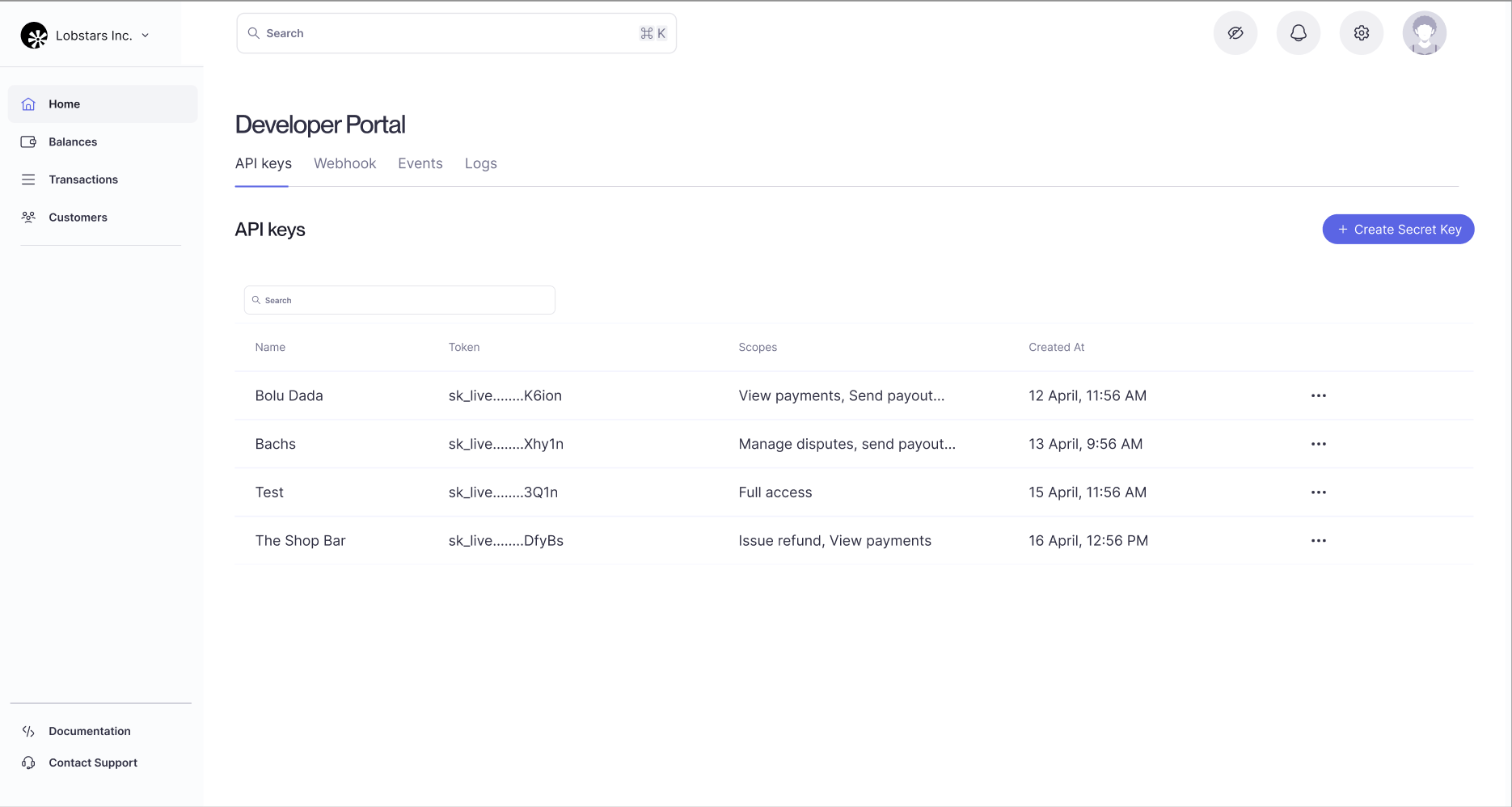
2
Create a secret key
Click on the “Create secret key” button on the dashboard under the API keys section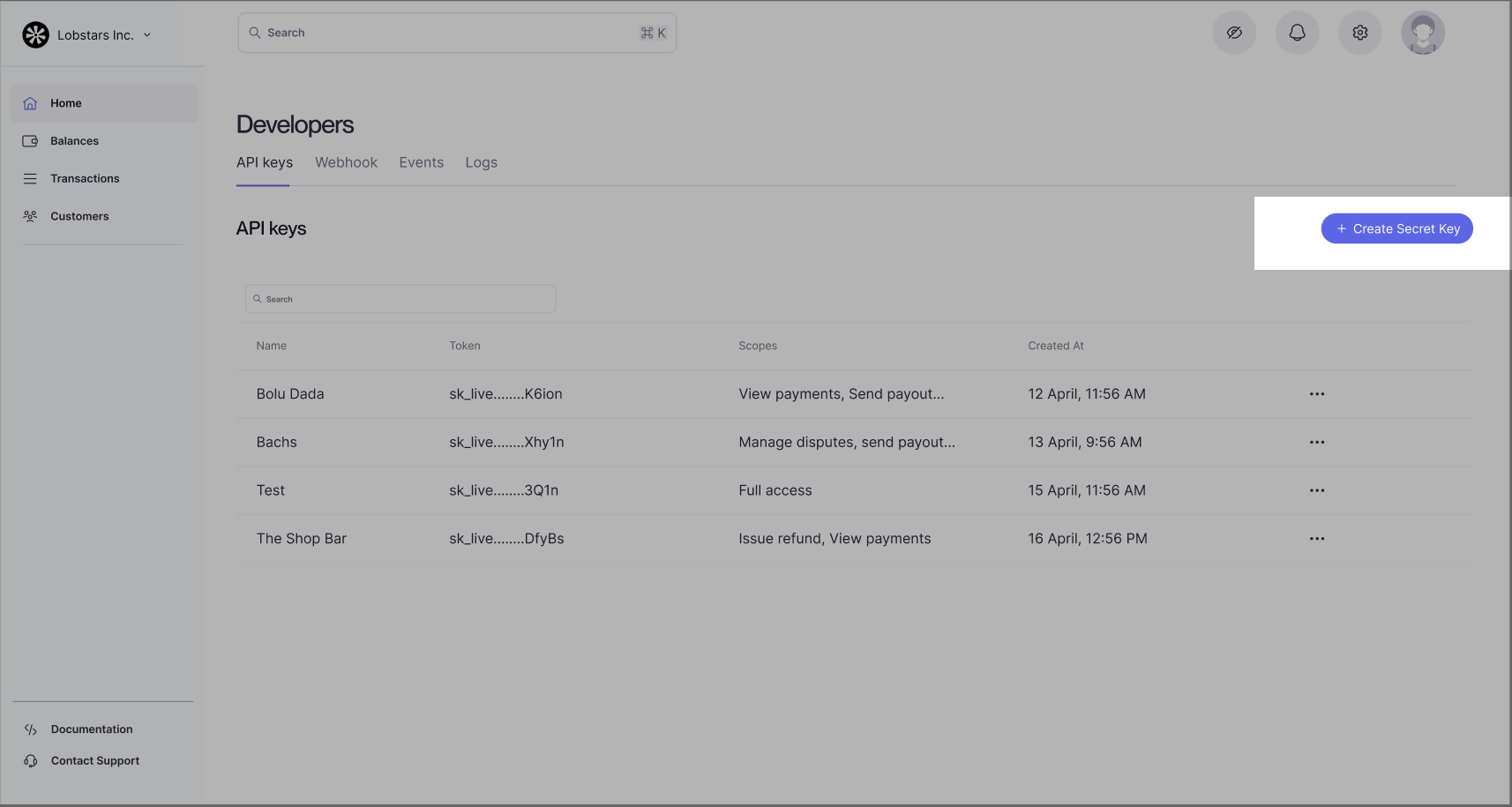
3
Configure your key
After clicking on the button, you would required to configure some certain things about your key such as a name, the required scopes -
this refers to the scopes permitted for the key. The key would not be able to access any endpoint that its scope does not have access to,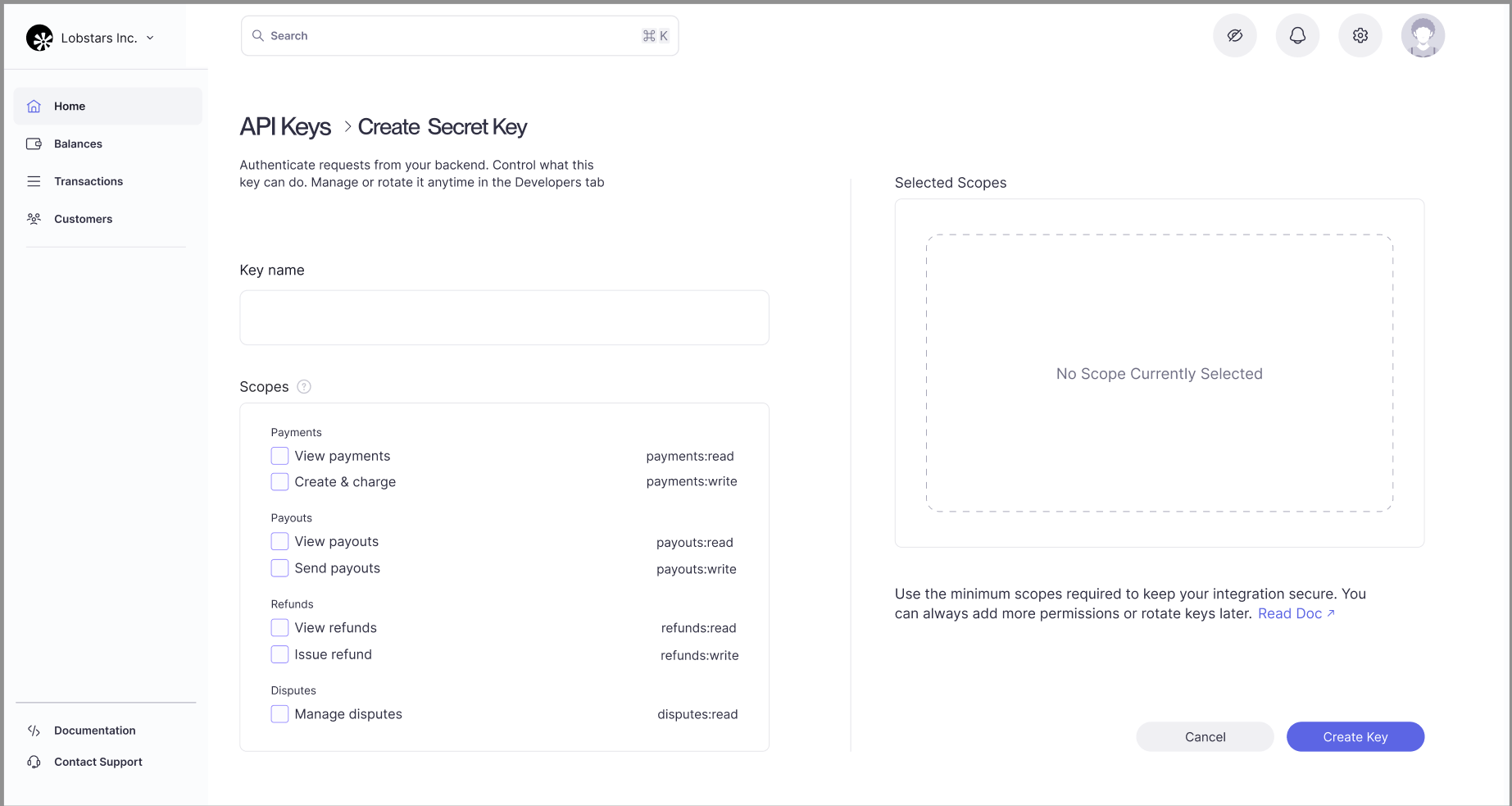
Sandbox vs Production
Bachs provides two separate deployments, each with its own URL and API keys:Sandbox (sk_sandbox_...)
- A dedicated deployment for development and testing
- Charges are simulated, so no real money is moved
- Available immediately when you sign up
- Sandbox data is completely isolated from production
Production (sk_live_...)
- The production deployment that processes real charges
- Real money moves through payment providers
- Requires business verification and approval
- Available after completing onboarding
Sandbox and production data are completely isolated. Charges, customers, and balances created with a sandbox key never appear in your production environment.
API Key Scopes
API key scopes control which endpoints a key can access. Assign only the scopes your integration needs. If a key is missing a required scope for an endpoint, the request is denied.Scope format
Scopes follow the pattern:<resource>:<action>
Where:
<resource>is the API domain (for examplepayments,payouts,refunds,disputes,webhooks)<action>is the permitted operation (typicallyreadorwrite)
Examples
payments:readpayments:writepayouts:readwebhooks:write
Requirements
- Grant only the minimum scopes required by your integration.
- Use
readscopes for retrieval/listing endpoints. - Use
writescopes for create/update/delete or action endpoints. - If an endpoint requires a scope your key does not have, the request will be rejected.
Prefix conventions are strict:
sk_sandbox_ keys route to the sandbox deployment, while sk_live_ keys route to production and process real money.Security Best Practices
Keep Your API Keys Secret
API keys carry significant privileges and should be treated like passwords:- Never commit API keys to version control (Git, GitHub, etc.)
- Never expose API keys in client-side code (JavaScript, mobile apps)
- Never share API keys in public forums or support tickets
- Always use environment variables or secure secret management systems
Use Sandbox Keys During Development
- Build and test your integration against the sandbox deployment using
sk_sandbox_keys - Switch to production keys only when you’re ready to process real charges
- Never mix sandbox and production keys in the same deployment
Rotate Keys Regularly
- If you suspect a key has been compromised, revoke it immediately from your dashboard
- Consider rotating keys periodically as part of your security practices
- You can only have one active API key per environment at a time