

- What can you price in? Any of the eleven supported currencies, whether or not you hold a balance in it.
- What can you hold?
USDandNGN. Every payment ends up in one of these.
GHS does not require a Ghanaian Cedi balance. The customer pays GHS, and Bachs converts to your balance currency when the payment settles.
Before you start
- A sandbox API key (
sk_sandbox_...). See Authentication. - A webhook endpoint to receive the result. See Set up webhooks.
Currencies you can price in
Any of these can be a product’s primary currency, a
pricing.currency on a raw amount, or a currency_options entry. Crypto asset codes such as USDT_TRC20 are not currencies you price in; they are how a customer can choose to pay. See Local pricing for setting several prices on one product.
Steps
1
Price the product in the local currency
Set
price.currency to the currency you want to sell in. Nothing about your account needs to change first.2
Create the checkout
Nothing extra is needed. The checkout takes its currency from the cart.
3
Send the customer to the checkout
The hosted page shows
GH₵ 150.00 and offers the payment methods that can charge Cedi. It does not offer a currency chooser, because the sale is priced in a currency the customer already pays in.A checkout priced in USD behaves differently. See How the customer’s currency is chosen.4
Receive the payment and the settlement
The The amount that reaches your balance is in
collection.succeeded webhook reports the currency the customer paid in.collection.succeeded
USD or NGN, not GHS. See What lands in your balance.How the customer’s currency is chosen
The currency you price in decides whether the customer is offered a choice at all. There are two behaviours, and which one applies depends on the price currency.USD is the only currency that converts at the page. Price in USD and a customer in Ghana is shown a Cedi amount, converted at the rate at that moment, and can switch currency. Price in GHS and every customer is charged GHS 150.00, wherever they are.
Adaptive pricing, the setting that turns on conversion at the page, only affects a
USD-priced checkout. A checkout priced in any other currency is charged in that currency whether adaptive pricing is on or off.USD price converts, so what the customer is charged moves with the exchange rate. A GHS price does not.
Pin the currency with billing_currency
Set billing_currency on the checkout to choose which price the customer is charged, instead of letting their location decide. It selects among the prices the checkout already carries; it does not create a new one.
- The checkout must be priced in that currency, as its primary currency or as a
currency_optionsentry. Otherwise the request fails withBILLING_CURRENCY_NOT_AVAILABLE, and the message lists the currencies that are priced. - A payment method on the checkout must be able to charge it. Otherwise the request fails with
BILLING_CURRENCY_HAS_NO_PAYMENT_METHOD, and the message lists the currencies that can be charged.
GHS price, but subscriptions are card only and no card corridor charges Cedi, so billing_currency: "GHS" on a subscription checkout is refused. Requesting a currency nothing can collect fails at creation rather than producing a checkout the customer cannot complete.
What lands in your balance
Your balance is held inUSD or NGN. A payment collected in any other currency is converted when it settles, and the converted amount is credited to your balance in your settlement currency.
Conversion happens when the payment settles, not when the customer pays, so the amount credited is not known at the moment of sale. Track the settled figure from your balances rather than deriving it from the charge amount.
A
NGN payment on an account that holds NGN is credited without conversion. The same sale priced in GHS is converted. The price currency and the settlement currency are separate decisions, and only the second is restricted to what you hold.NGN checkout settlement
NGN-initiated checkout payments settle to your NGN balance by default. You can still choose USD settlement for NGN-initiated checkout payments in your withdrawal settings. In the dashboard, use the Balance currencies section to control whether your organization holds NGN balances.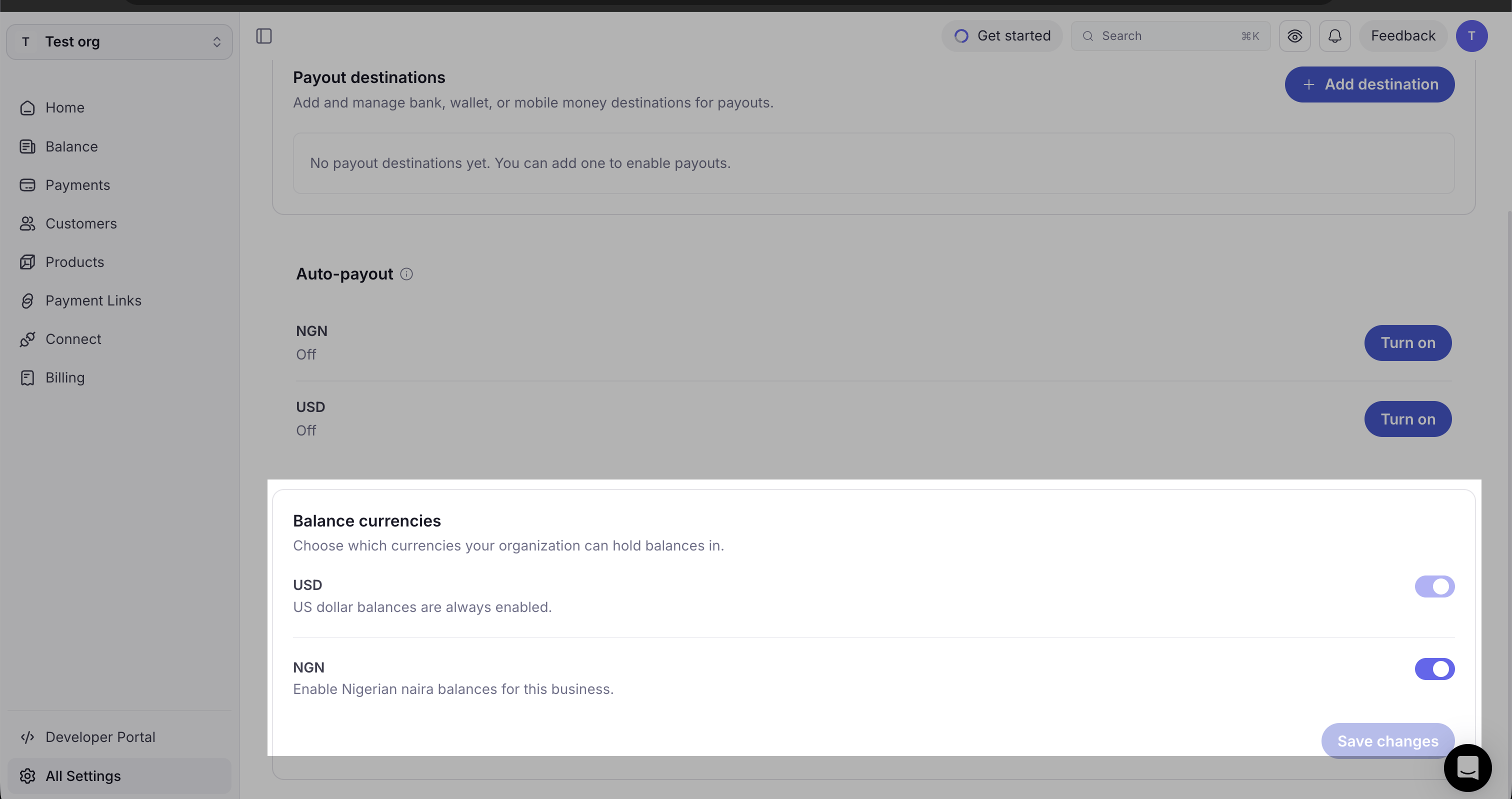
The deciding factor is the checkout’s locked price currency. A USD checkout with an NGN local price becomes NGN-initiated when the checkout resolves to that NGN price. A USD checkout that only lets the customer pay an NGN equivalent is still USD-initiated.
For processing fees and conversion charges, see Fees.
Recurring products
A subscription is priced the same way as a one-time checkout: in any supported currency, whether or not you hold it. Each renewal charges the saved card in that currency and the proceeds settle into your settlement currency (USD unless you hold the priced currency), the same conversion a one-time charge makes. The one thing that stays fixed is the price currency: a subscription bills in the currency it was created with for its whole life, since renewals run months later without the buyer present. The subscribe page only offers the methods that can bill the price currency off-session, so aUSD plan shows the USD card and nothing that cannot renew it.
Today a recurring checkout priced in a currency you do not hold is still refused at creation with
BASE_CURRENCY_NOT_HELD_BY_ORG, while the settle-to-USD path above is rolled out for renewals. Until then, hold the price currency (or price the plan in one you hold) to create the subscription. One-time checkouts are unaffected and already price in any currency.Errors
Next steps
- Local pricing: set several prices on one product.
- Accept a payment with Checkout: the full checkout flow.
- Payment method support: which corridors your account can accept.
- Get balances: what has settled and in which currency.