

Prerequisites
- A publicly reachable HTTPS endpoint on your server ready to accept
POSTrequests. - Access to your Bachs developer portal.
Setup
You can manage webhook endpoints two ways: from the dashboard (below), or with the Webhook Endpoint API using an API key that has thewebhooks:write scope. Both create the same endpoints with the same signing secrets.
1
Open the Developer Portal
From your dashboard, click on your Developer Portal at the bottom left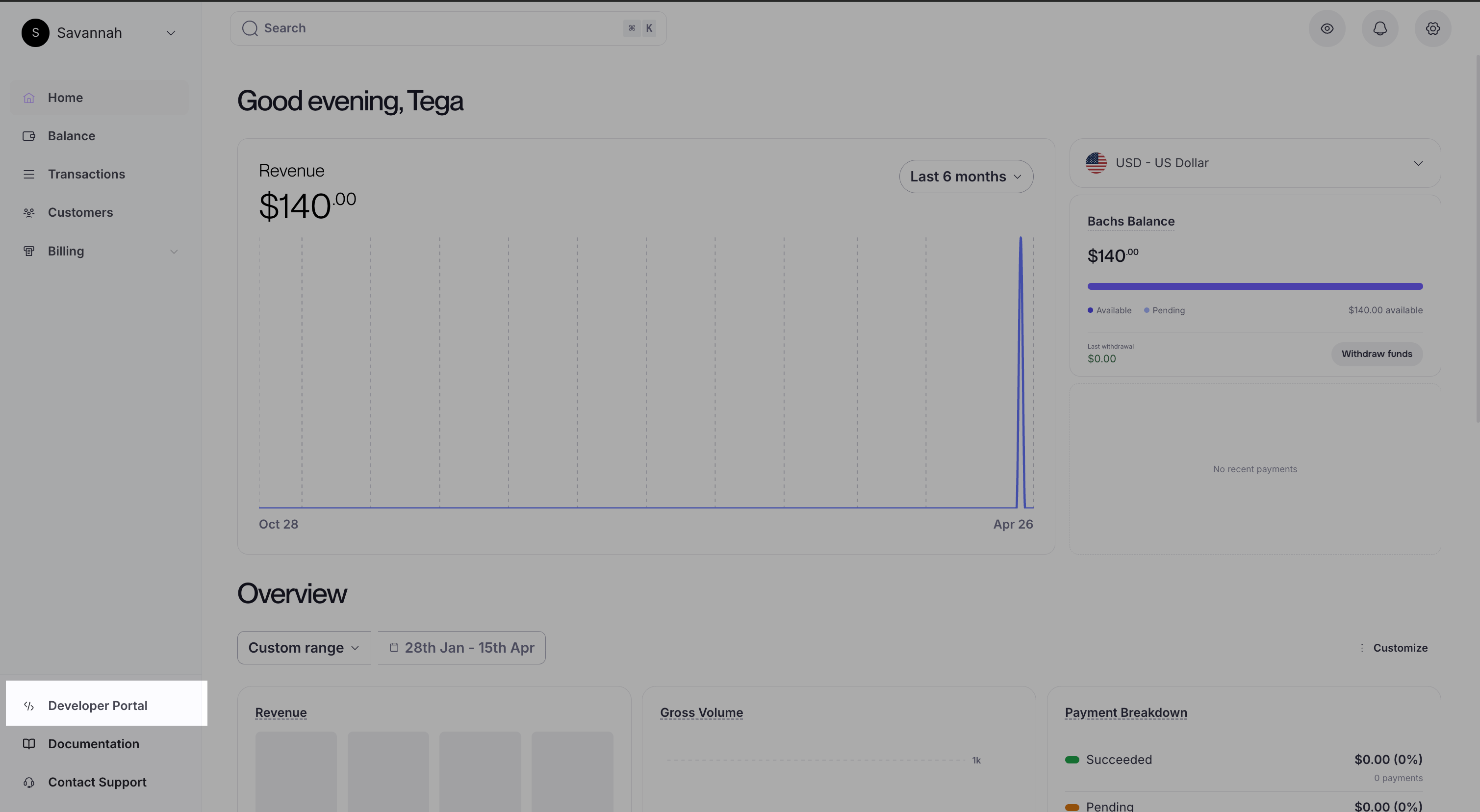
2
Go to Webhooks
In the developer portal, navigate to the Webhooks section.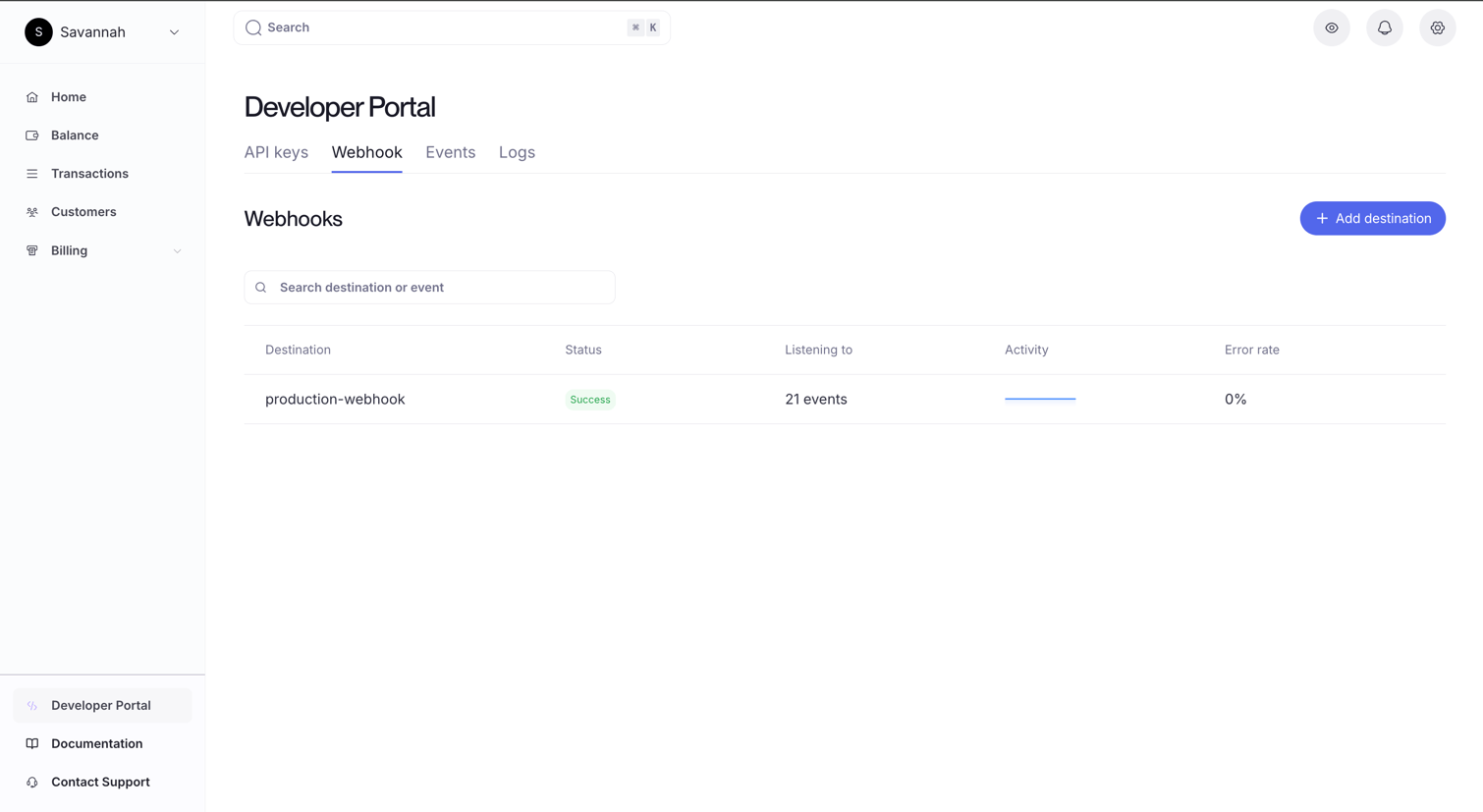
3
Create a new endpoint
Click Add destination and enter the HTTPS URL where Bachs should deliver events. PS: All endpoints added automatically have a signing secret.
We use it to sign every delivery so you can verify requests are genuinely from Bachs.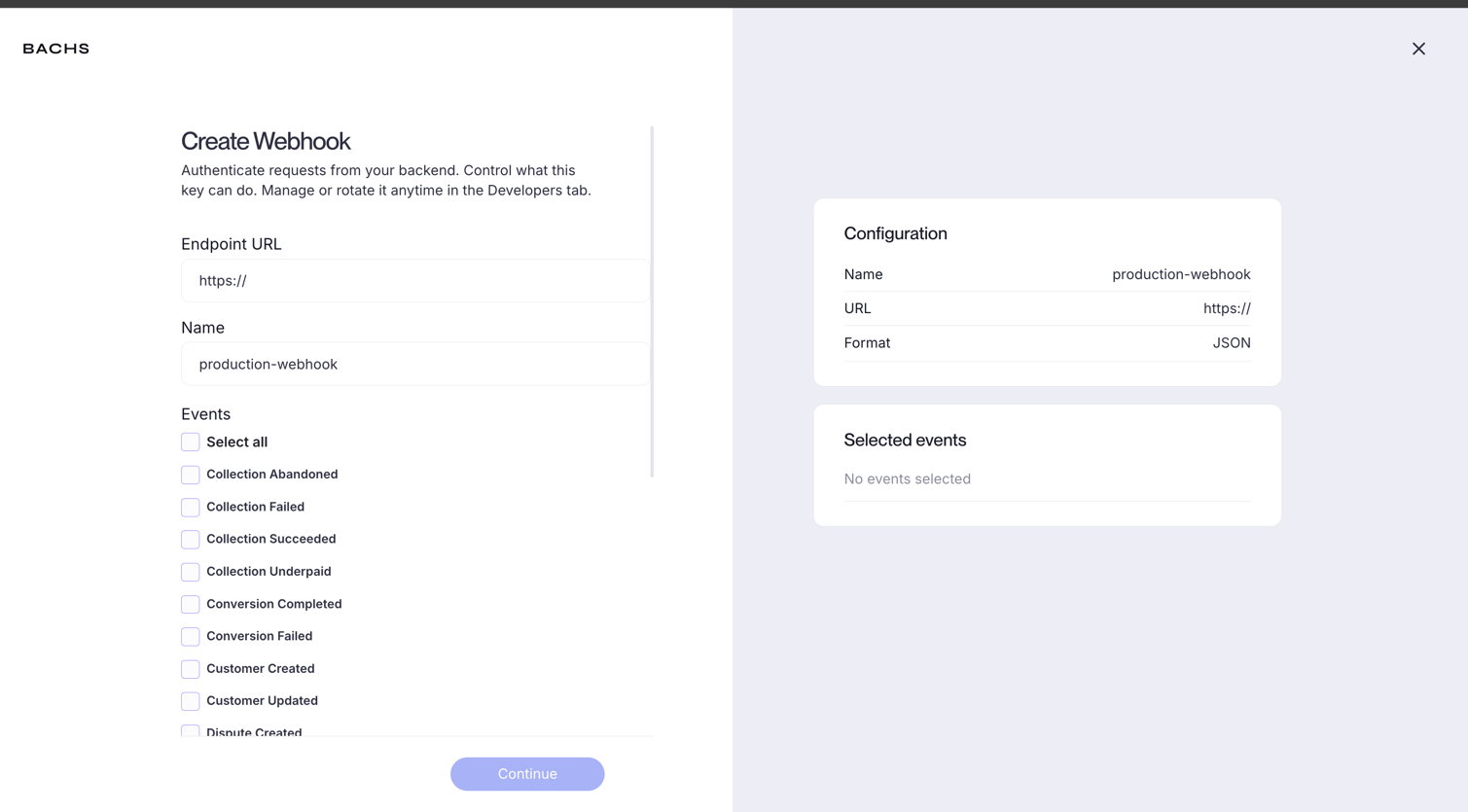
All webhook deliveries include an
X-Bachs-Signature header. Validate it against the raw request body before processing the payload.4
Select events
Choose the events you want to receive. You can subscribe to payment events, withdrawal events, or both. Only the events you select will be delivered to your endpoint.
Once you save, your endpoint is live and will start receiving events immediately.
Verifying your webhooks
Every webhook delivery is signed. Before processing any payload, verify the signature to confirm the request came from Bachs.Retrieve your signing secret
Each endpoint has an auto-generated signing secret. To find it:1
Open the Developer Portal and go to Webhooks
Navigate to the Webhooks section in the developer portal.
2
Open your endpoint
Click on the endpoint you want to verify deliveries for.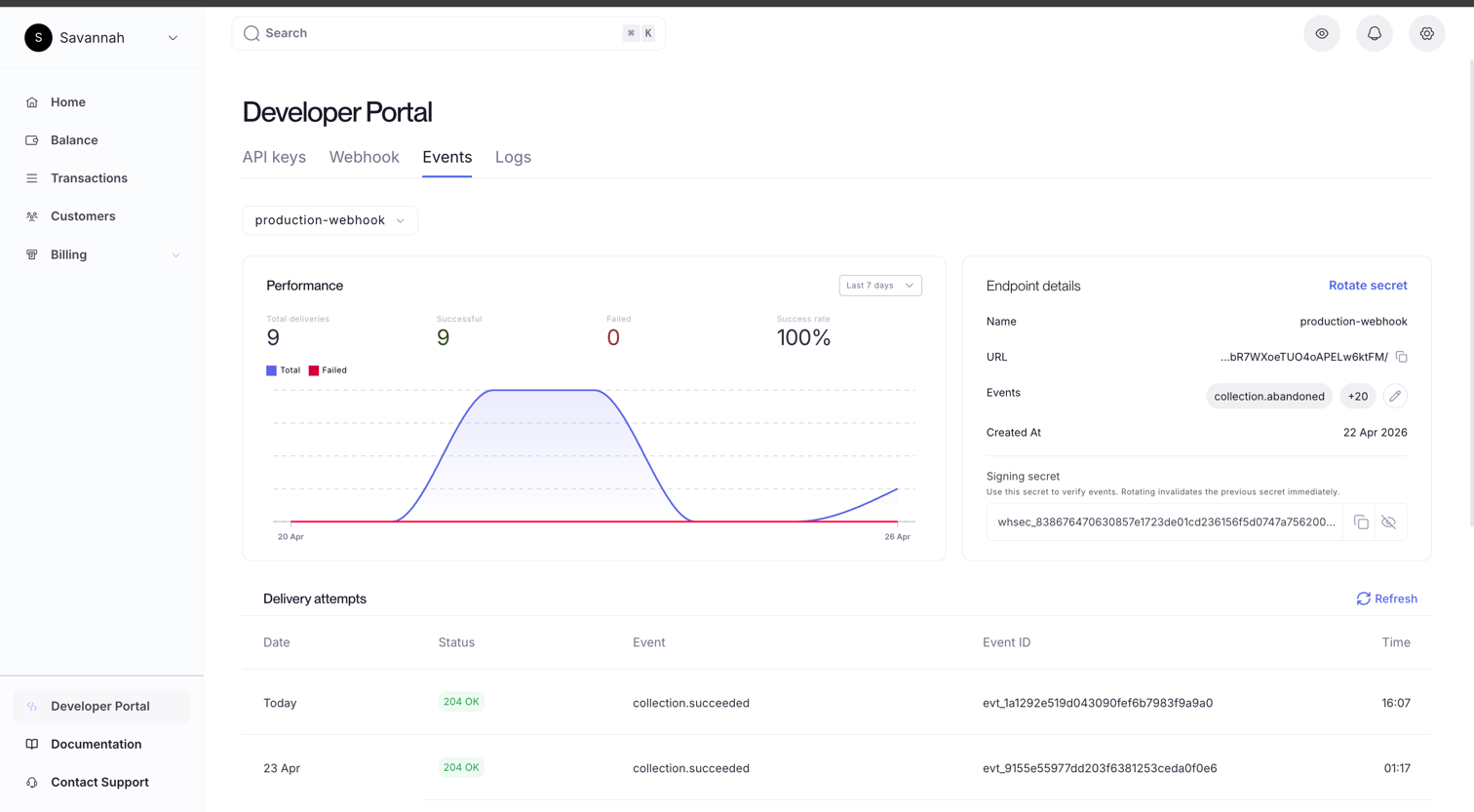
3
Copy the signing secret
The signing secret is displayed on the endpoint detail page. Copy it and store it securely in your environment variables.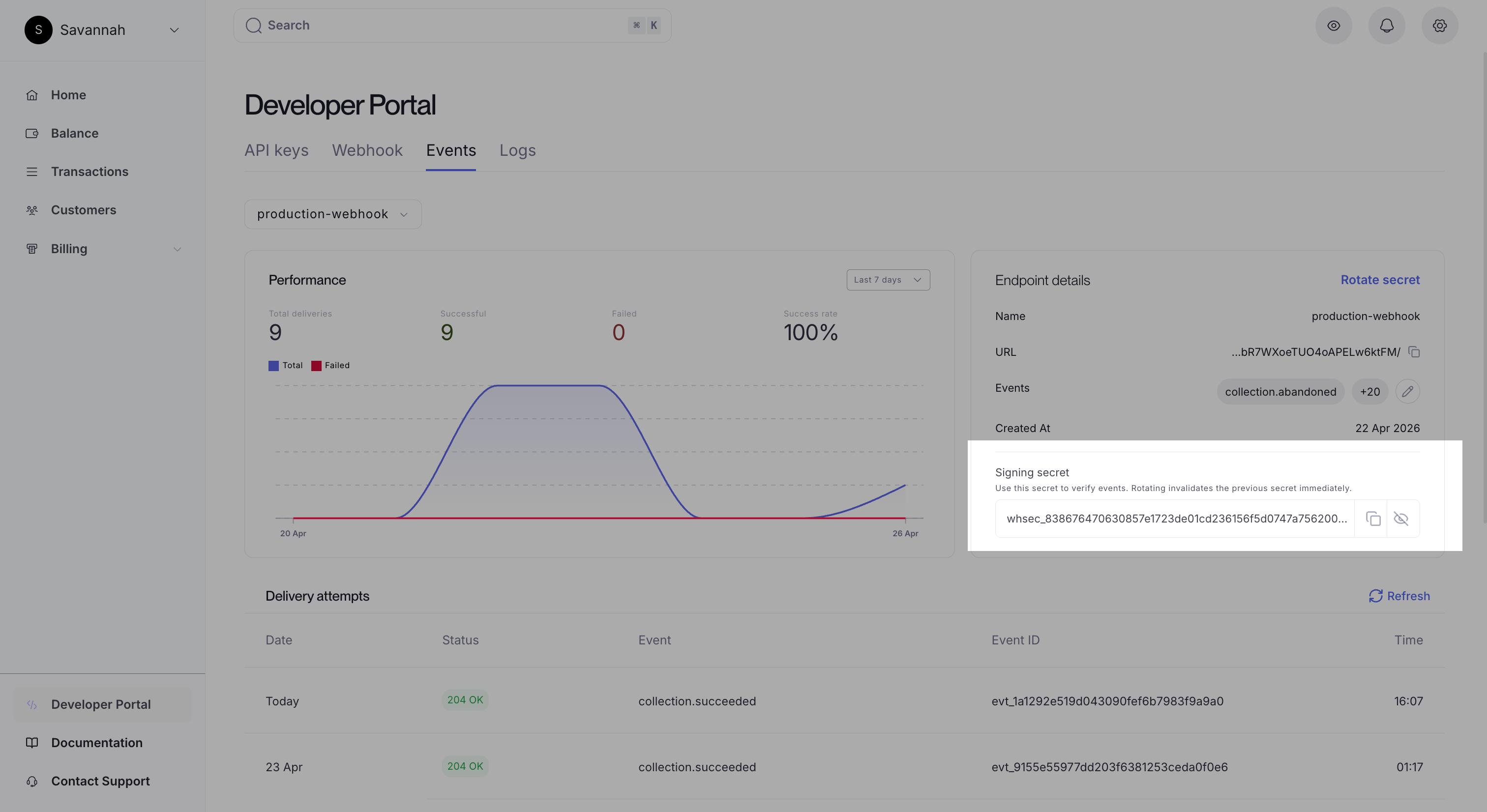
How the signature works
Each delivery includes these headers:
To verify, reconstruct the signed message using the timestamp and the raw request body, compute the HMAC-SHA256 using your secret, and compare it to the signature.
When verifying
X-Bachs-Signature-V2, split on ,, take the t= value as the timestamp, and accept the delivery if any v1= value matches what you computed. Comparing against only the first one will fail during a rotation.
Rotating a signing secret
Rotating adds a new secret and keeps the previous one valid for 24 hours. During that window every delivery is signed with both, so traffic keeps verifying while you deploy:- Rotate the secret and store the new value returned to you.
- Deploy it. Until you do, the old secret still matches.
- The old secret stops signing when the window closes.
Verification examples
Receiving Events
Every webhook delivery is aPOST request with a JSON body. The envelope looks like this:
id field to deduplicate deliveries. We guarantee at-least-once delivery, so the same event may arrive more than once.
Connect events
If you run a Connect platform, an endpoint can also receive events that happened on your connected accounts. Each endpoint carries anevent_source:
An event happens on one account, its origin. The origin’s own endpoints receive it on
account or all, and the origin’s parent receives it on connect or all. Delivery walks up one level and no further, so an event never reaches a sibling account.
On an event from a connected account, organization_id is that connected account rather than your platform, and a top-level account field carries the same id. Read the account from the payload rather than assuming the event belongs to the account you authenticated as.
Event reference
Every event has its own page with the payload shape and a field reference. Browse them under Events in the sidebar, grouped by resource:- Checkout:
checkout.completed,checkout.expired - Payments:
collection.succeeded,collection.failed,collection.underpaid - Payment methods:
payment_method.saved - Subscriptions:
customer.subscription.created,customer.subscription.updated,customer.subscription.deleted - Invoices:
invoice.created,invoice.paid,invoice.payment_failed - Withdrawals:
payout.created,payout.paid,payout.failed - Refunds:
refund.created,refund.paid,refund.failed - Disputes:
dispute.created,dispute.updated - Conversions:
conversion.completed,conversion.failed - Customers:
customer.created,customer.updated - Connect:
account.updated,capability.updated,transfer.created