

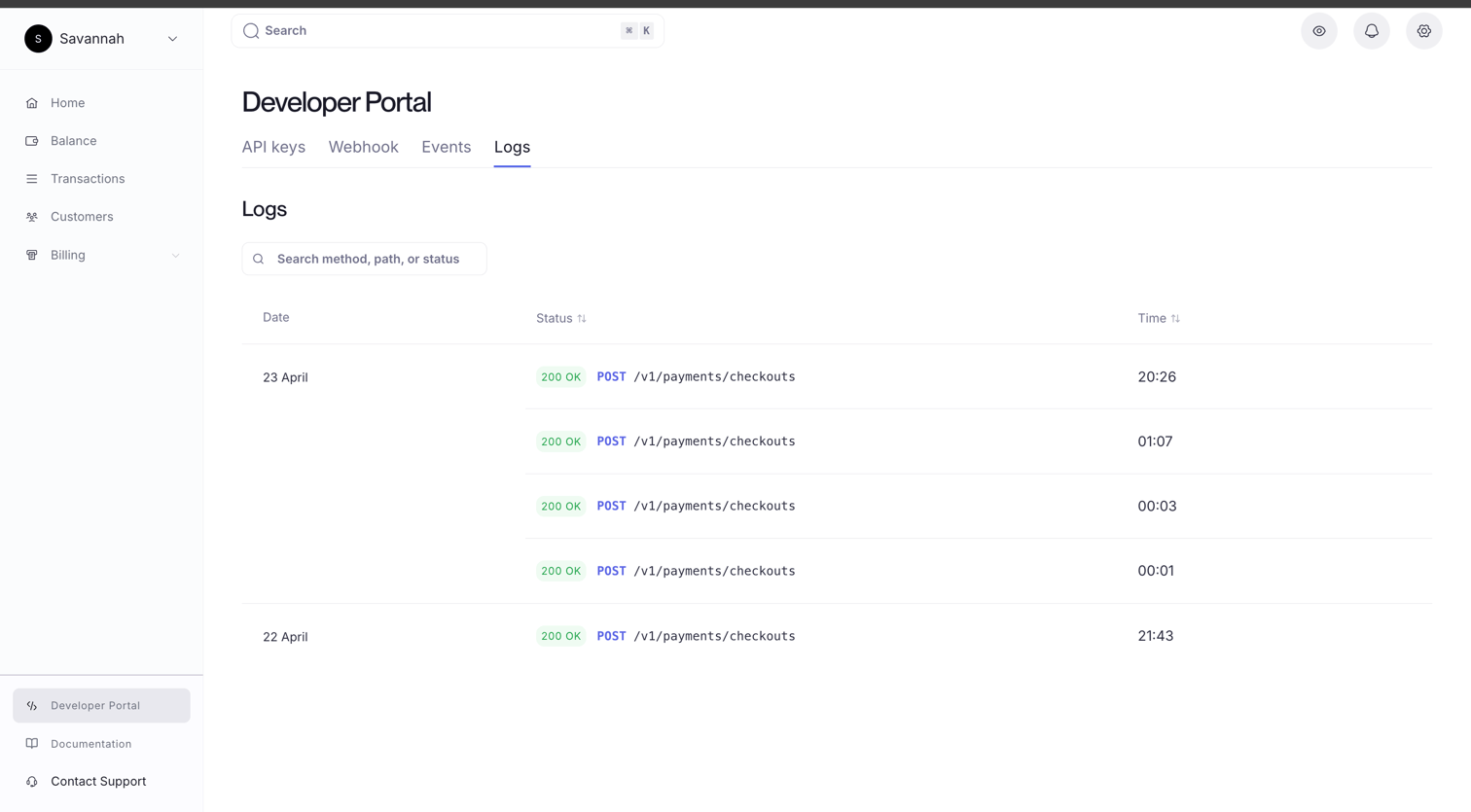
The Log List
Each row in the log is one API request. The list is sorted with the most recent at the top.
Search and filter: Use the search bar to narrow the list by method, path, or status code. Useful when triaging a specific failing endpoint or tracing a particular sequence of requests.
Log Detail
Click any row to open the full detail panel for that request.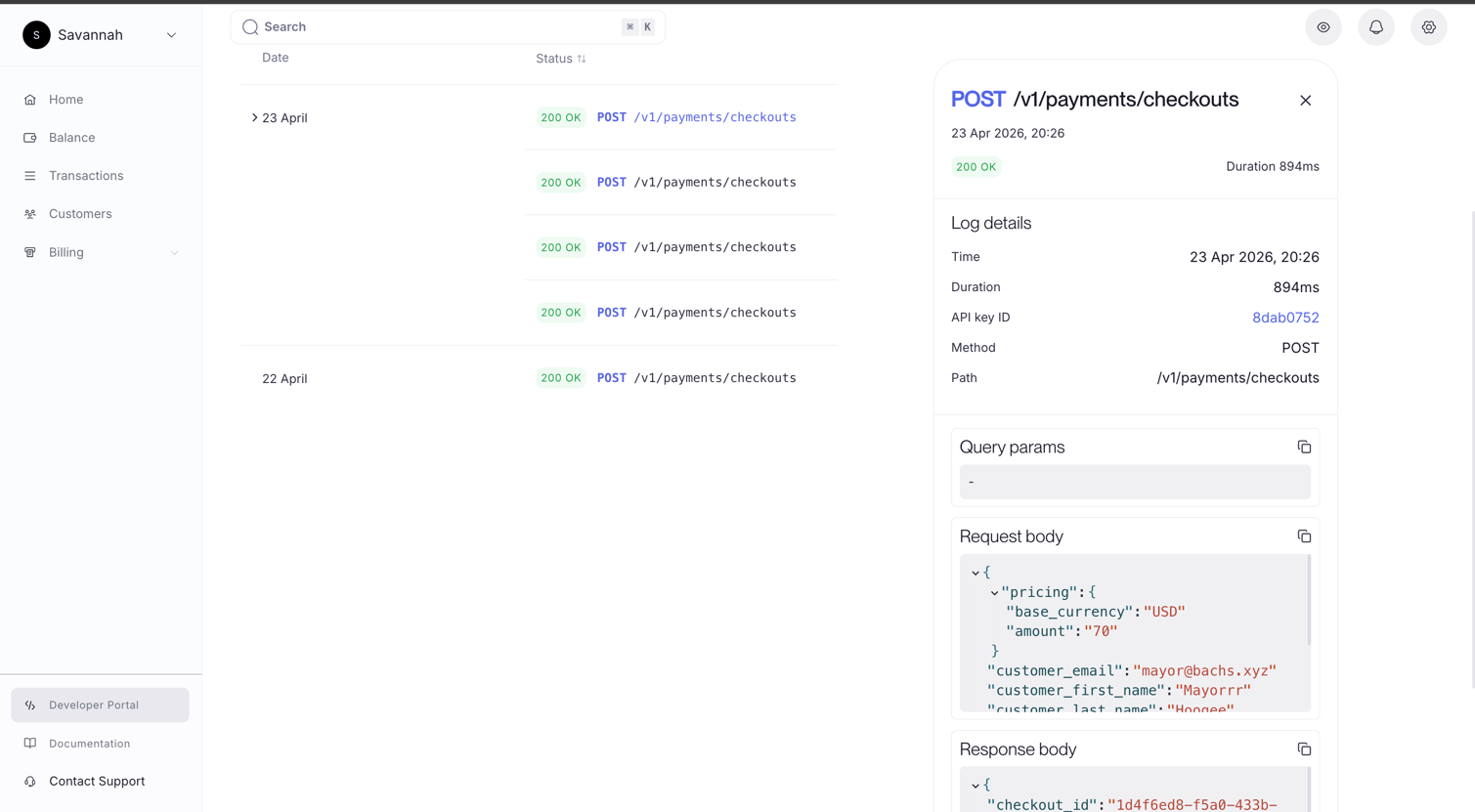
Query params: Any query string parameters attached to the request, shown as a formatted block.
Request body: The exact JSON body your server sent. Formatted and syntax-highlighted. Click the copy icon to paste it directly into a curl command or your API client for reproduction.
Response body: The exact JSON Bachs returned. This is the authoritative record of what your server received. Useful when the response your code logged differs from what you expect.
Common Uses
Debugging a4xx: Open the failed request and check the request body against the API reference. The response body typically contains an error message and a machine-readable code. No guessing what was sent.
Confirming a request was made: If a payment or webhook isn’t behaving as expected, the log confirms whether the API call was received by Bachs at all. If there is no log entry, the request never reached the API.
Tracing a key: The API key ID field links directly to the key in the API Keys tab. When a key has been rotated or revoked, you can use the log to verify the last request it made before the credential changed.
Measuring latency: Duration is logged per request. If your integration has a timeout problem, the log tells you whether the latency is on Bachs’s side or your network.
API Keys
See which key made each request and manage its permissions.
Events
Inspect the webhook deliveries that followed these API requests.