

Choose a level
There are three levels. Each one applies to every international card payment on your account.1
Open the Checkouts tab
In the dashboard sidebar, press All Settings, then open the Checkouts tab.
2
Find the 3D Secure section
Find the 3D Secure section on that tab. It shows when international card payments are on for your account.
3
Pick a level and save
Open the Bank approval (3D Secure) list, choose a level and press Save changes. A message confirms the level you saved. New card payments use it from then on.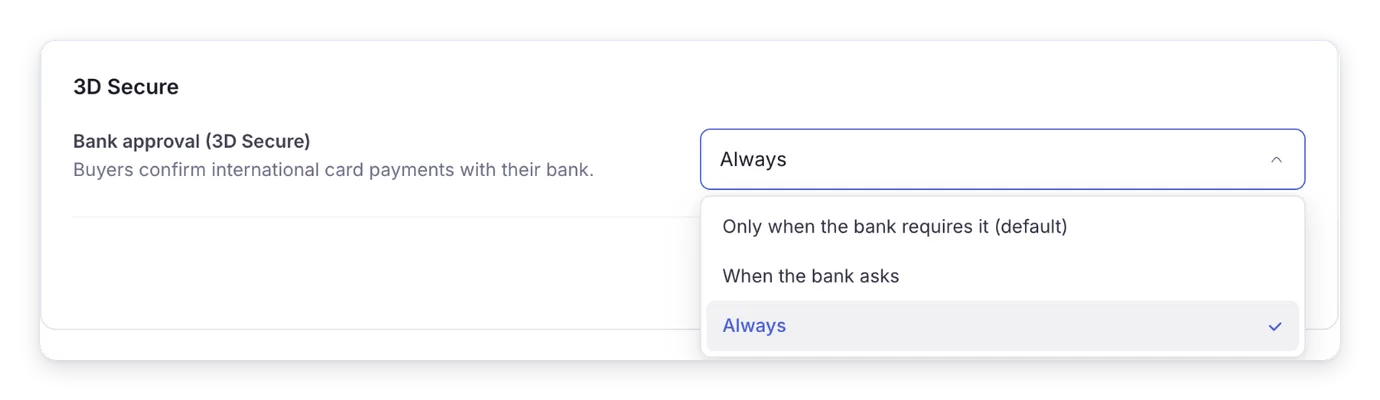
When you cannot change the level
Sometimes the list shows fewer levels, or only Always with no list at all. The line under the setting says why:- “Required for your account right now”: your account must use the level shown. Every buyer confirms with their bank.
- “3D Secure is always on for your account”: Bachs has set this level for your account, and you cannot lower it.
- “Your account needs at least …”: you can choose the level named or a stronger one.
What 3D Secure does not cover
- Disputes. A buyer can still dispute a payment that passed 3D Secure. Your evidence decides the outcome. See Handle disputes.
- Payments where the buyer is not present. Renewals and other charges made on a saved card without the buyer at checkout do not ask the bank again. A saved Apple Pay or Google Pay payment is always charged this way.
- Some cards. American Express cards are only checked on payments in USD.
- Large payments. A payment of USD 1,000 or more is checked whenever the bank asks, even on the default level. Choose Always to check every one.
- The bank’s own decision. A bank can skip the check or ask for it on any payment, whatever level you choose.
Next steps
- Handle disputes: what happens to your balance when a dispute opens, and how to respond.
- Payment statuses: a payment waiting for the buyer to confirm with their bank shows as
openwithawaiting_approval.